Quick Image Conversion

SageThumbs is a utility and tools shell extension created by CherubicSoft. The shell extension offers image conversion within Windows Explorer. It utilizes the GFL Library for the file preview. Users can organize their images in one window without opening another image editing application.

Top Recommended Alternative

Fixing Images In One Window

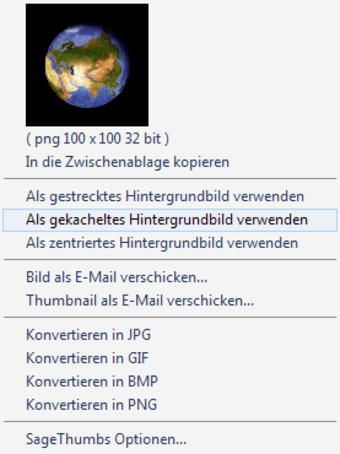
SageThumbs is built as a shell extension with minimal footprint rather than a bulky computer application. It is capable of displaying vast amounts of image formats from Windows Explorer. The shell extension utilizes the GFL library by XnView creator Pierre-e Gougelet. They do share the same functions yet differ in size and features. The shell extension has basic features for organizing images efficiently. It provides an extended thumbnail image view for an instant preview. Users can check the extended info tips, as well as send via email support. There is an option to copy the image on the computer’s temporary clipboard. The integrated GFL Library enables support for 162 image formats as well as 224 extensions. Users can install some XnView plugins to work with an extra 26 image formats.

Accommodating Every User

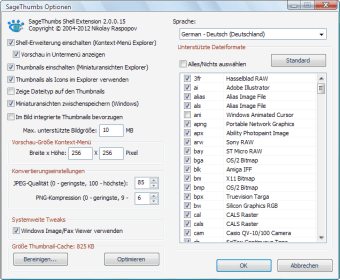
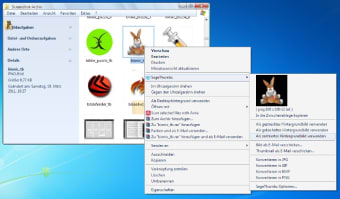
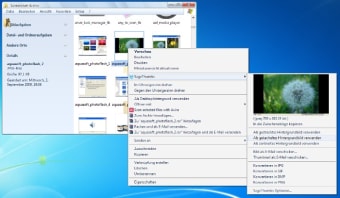
The shell extension comes with simple steps of processing images from Windows Explorer. It can be used by beginners and experts alike. Users press right click on the target image from the Windows Explorer. They can choose one of the software’s menu entries from the explorer context menu. From the selections provided, users can check the preview image, set it as a wallpaper, or convert the image to a different file format. The shell extension’s options give the right amount of customization features. Some of the customization options available are changing the image’s preview size, modifying the quality of the conversion output, and lists of supported image formats for the output.

Easy Step Conversions

SageThumbs can save time on reformatting images without the help of any image-editing software. It has easy to access tools for quick image conversion. Anyone can get their newly-processed images in an instant.


  • Pros

    • One-click conversion
    • Powered by GFL library
    • Supports most image formats
  • Cons

    • Minimal functionality
    • Only edits image files
    • Requires XnView plugins for reading more image formats
 0/4

App specs

  • License

    Free

  • Version

    2.0.0.23
  • Latest update

  • Platform

    Windows

  • OS

    Windows 7

  • Language

    English

    Available languages

    • German
    • Greek
    • English
    • Spanish
    • French
    • Italian
    • Japanese
    • Korean
    • Dutch
    • Polish
    • Portuguese
    • Russian
    • Swedish
    • Turkish
    • Chinese
  • Downloads

    62.2K

    Last month's downloads

    • 937
  • Size

    2.24 MB

  • Developer

Program available in other languages


Icon of program: SageThumbs

SageThumbs for PC

  • Free
  • 4.1
    68
  • 62.2K
  • V2.0.0.23

User reviews about SageThumbs

4.1

1 reviews

Add review

Main reviews for you

  • Anonymous user

    Absolutely very helpful!!. Absolutely very helpful!! (I'm using Windows 7 Enterprise.) I believe Sagethumbs creates thumbnails for images under 10 megabytes by default; you can easily open Sagethumbs and change this limit cap to 1000 MB or whatever number you'd like; you may want to try this if your thumbnails don't show up even after you installed Sagethumbs and followed the automatic popup prompt to restart your computer (this popup occurs automatically after successful installation.) Pros: Very userful; versatile list of filesCan quickly load and display thumbnails for very large files

More

You may also like

Alternatives to SageThumbs

Explore Apps

Latest articles

Laws concerning the use of this software vary from country to country. We do not encourage or condone the use of this program if it is in violation of these laws.
Softonic

Is SageThumbs safe?

100/100

Score result: Clean

This file passed a comprehensive security scan using VirusTotal technology. It is safe to download.

  • Virus free
  • Spyware free
  • Malware free
  • Verified by Security Partners

    VirusTotal logo

Scan Info

Last scan
Tuesday, October 7, 2025
Scan provider
VirusTotal · Full report

File Integrity

File
SageThumbs_V2.0.0.23.exe
SHA256
705d743e28b487e34a4a7245a0dbc303a10e45ba0fd9e4da4101c8cdf506839a
SHA1
dd798c6ddc1fe523b0919c0d70c36b7932a67be5

Softonic security commitment

SageThumbs has been thoroughly scanned by our advanced security systems and verified by industry-leading partners. This file comes from the official developer and has passed all our security checks, showing no signs of viruses, malware, or spyware. For more information, visit our Security and Trust Center